
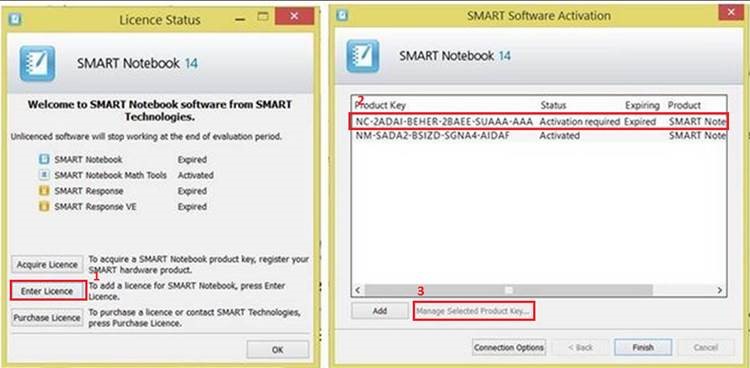
If you get the prompt that your SMART Notebook key has expired, please follow these instructions:
- click on Enter Licence
- click on the top one that says Activation required.
- You can then click on Managed Selected Product Key
- I don’t have the next screen shot right now, but you should then tick the box to Agree to the Licence and click OK(or Next)
- Select the option to activate automatically (1st one)
 Tech Tuesday