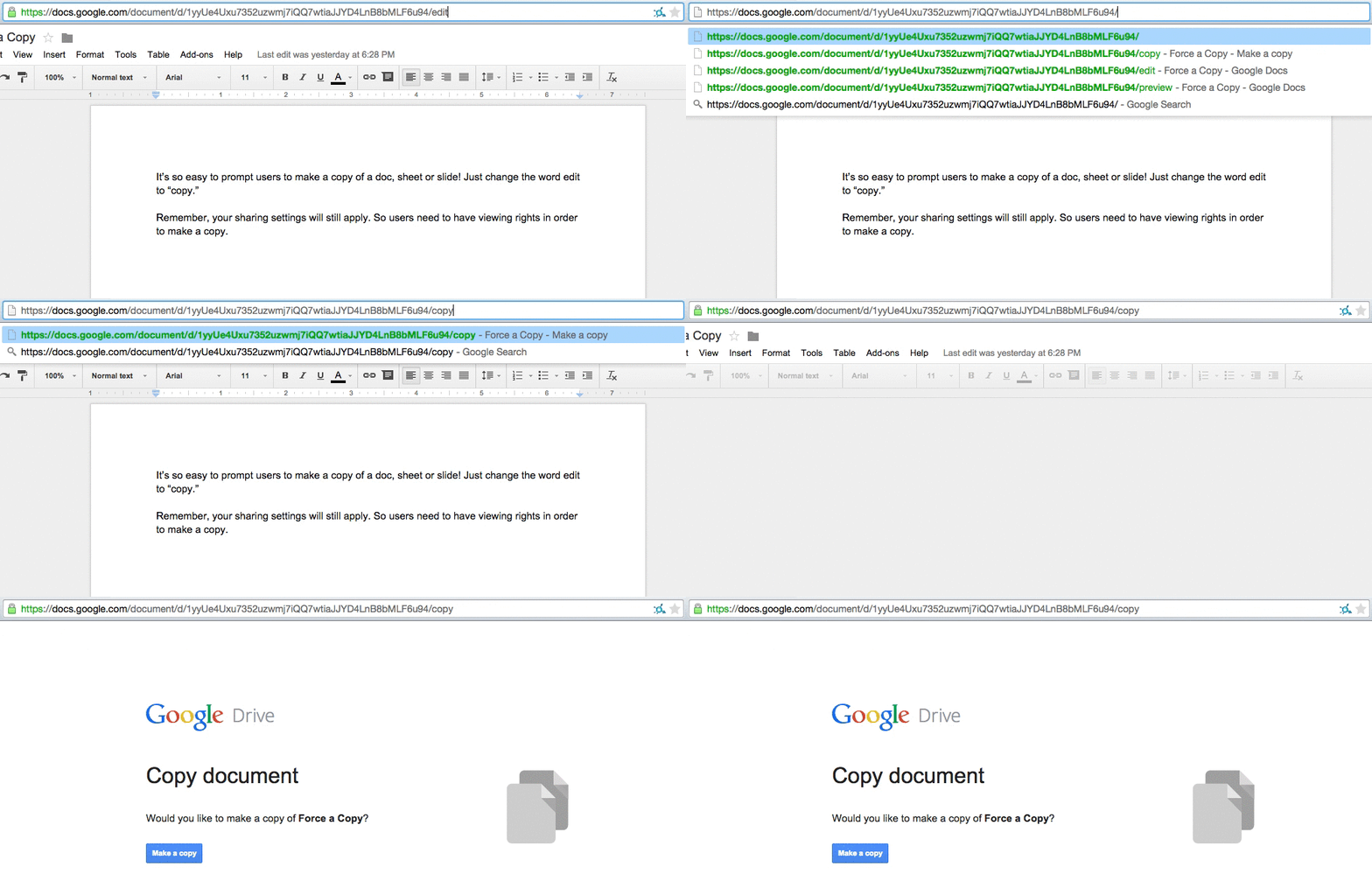
By creating an assignment in Google Classroom you have the option to make a copy for each student, however if you want to handout a copy without assigning it to students select the settings anyone with the link can edit and change the word edit to copy in the url.
Google Classroom
StandardFirst a VERY BIG thank you for your efforts over the past few weeks with Google Classroom. 88% of faculty members participated in PD last week!
May 20th and 27th teacher trainers and Liz will be on hand to answer any specific questions you might have. We will meet outside the faculty room at the portable SMART board.
Below are all the Google Classroom resources that have been sent out over the past month in case you need them for reference:
1) Google’s online training center
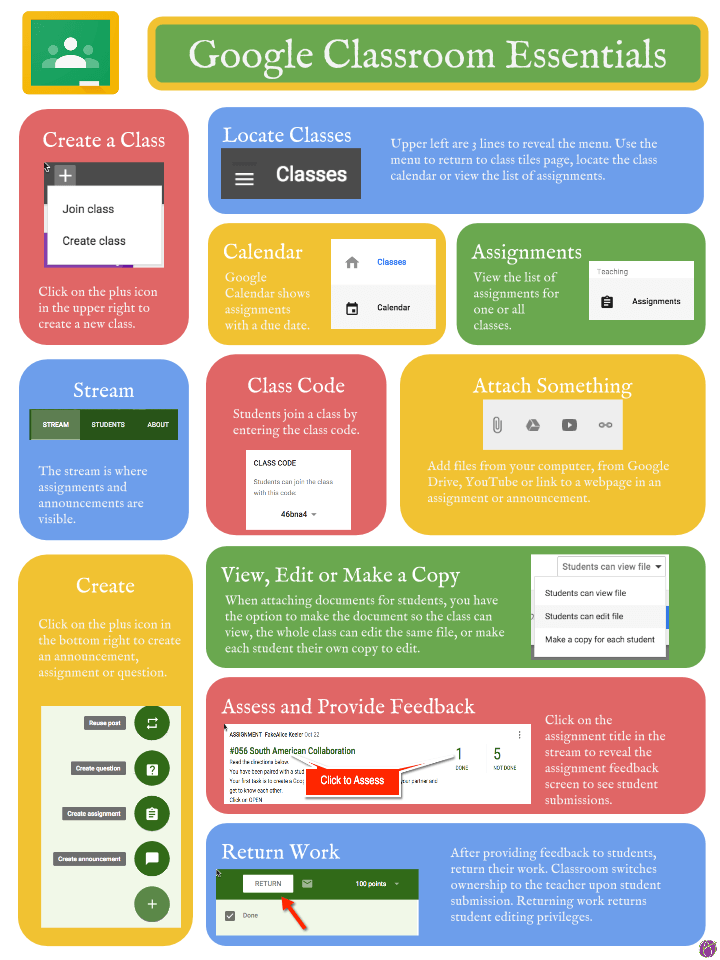
2) Handy infographic for understanding the Classroom interface
3) ZIS Upper School Classroom exploration roadmap

Student Email Change- Google Drive Sign in
StandardPlease do not forget to check for student understanding around the upcoming student email change, including the need to sign into ZIS Google services with their new account (@zis.ch) after the switch on March 20th.
For more information see this US Announcements blog post.
Search Quick Tip #1
StandardAs Daniel Goldman (2014) says, we are asking our homo sapien brains to process fifteen times more information today than we did in 1986. Until spring break I will be populating a list of quick search tips for all sorts of applications so you can get at what you need faster.
- Ctrl f (in most application and generally speaking most websites this combination will present a search box)
- Window key and start typing (this will search anything present in Windows 8 including all installed software)
- / (in Google Drive online clicking / will automatically place your cursor in the search box)
Gr. 9-10 Road Check
StandardThanks for your help completing tablet road checks during consultancy this week and next. If you have an specific questions or would like help let Liz know.
*Grade 11 and 12 road check will happen before February break.
Back to School Night Presentation Tips
StandardDesktop v Browser Google Drive
Standard
fill in the form above or click here to take the quiz
Desktop and Google Drive Pop Quiz
StandardDigital Spring Cleaning
StandardAs you get ready to transition devices, the less you have to think about the better! Here is a suggestion list of areas you might want to look at:
- Classwork- *especially the Special Projects folder
- Tablet- Desktop Downloads, My Documents, My Pictures, My Music, and My Videos folders
- OneNote *more information about how to back up your OneNote will be in next weeks announcements
- iTunes library items
Other items worth considering cleaning up:
- Google Drive
- Digital Portfolio- archive and adjust categories
- Internet browser- bookmarks and extensions
- Unused apps on your SMART phone
- Social networks- unlike and unfollow to clear your feeds