
All students and staff now have access to the upgraded school edition of EasyBib. This program is not a cure all for all of our citing needs, but it may well be a good tool to initiate more conversation around research and citation skills. Currently, we are exploring the program, but feel free to help students sign in right away. The new edition allows students to cite in a variety of citation styles free of charge. -Kevin
This tool can help you transform what Kasman and Boyer (2015) refer to as the “iterative, social, collaborative—and messy” process of inquiry in their article in this months issue of Educational Leadership titled Research Untethered.
Kevin is curating more information that will help you and your students use Easybib on the US Library Moodle site (under the US Other category), but for now here is some basic access information.
There are five main ways to access this tool, all with your normal ZIS username and password: (a) as a Google App, (b) a Google Add on, (c) extension, (d) through mobile device apps, or (e) directly through the easybib.com website.
Please access any one of these first ON CAMPUS to ensure you receive the Pro version.
(a) Google App
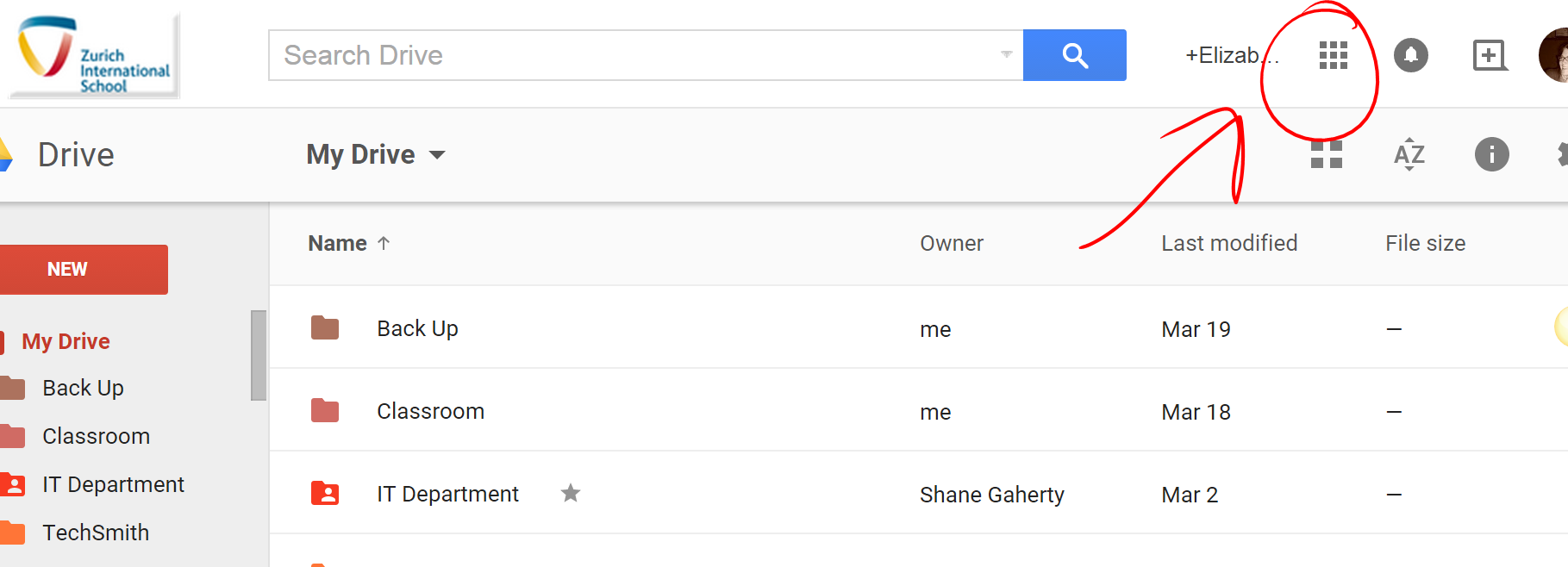
To access this resource sign into your google drive online (no additional sign in necessary for students or faculty) and select the grid icon in the upper right hand corner to view your apps
(b) Add-on w/in Google Docs
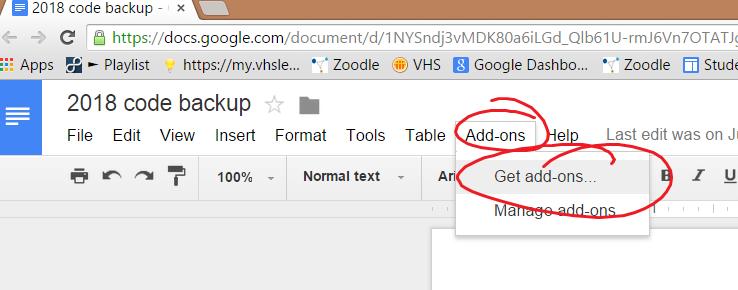
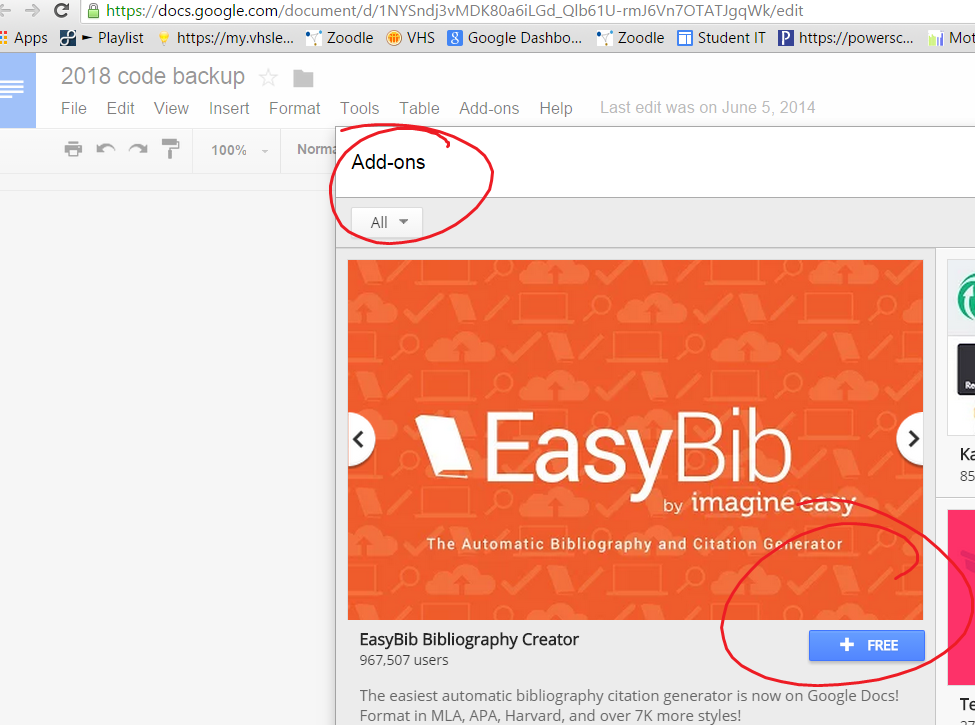
Easybib can also be accessed from within a document by clicking Add-ons too:)
(c) Extension
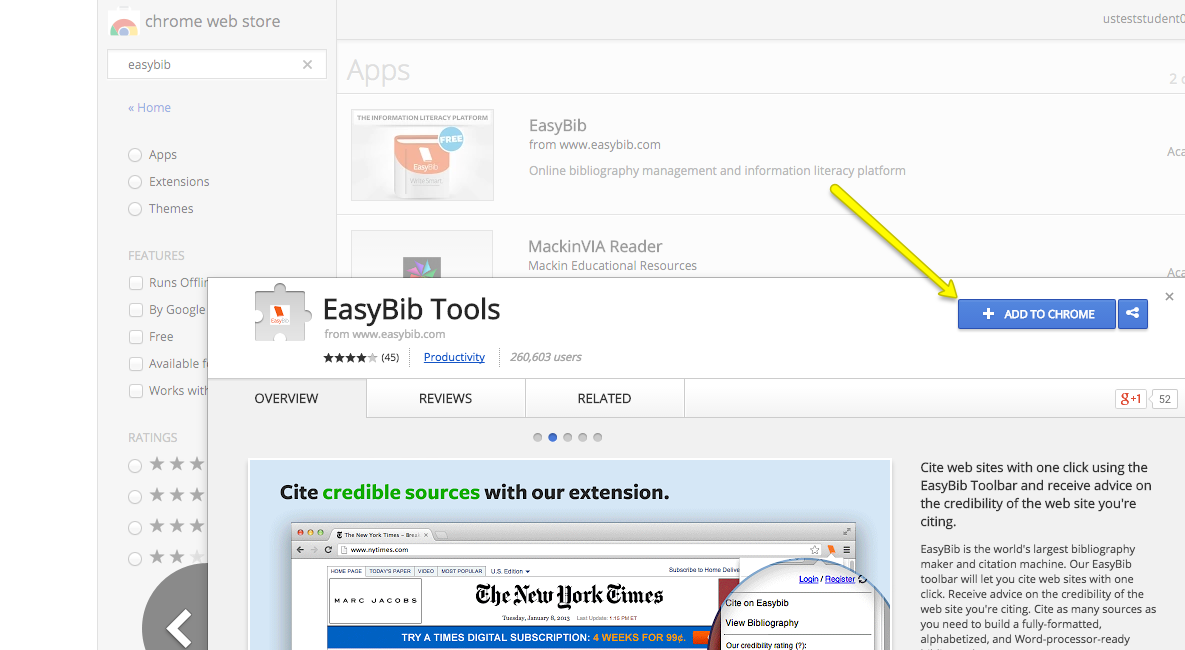
Get the Easybib extension
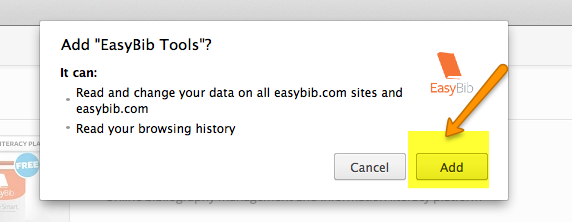
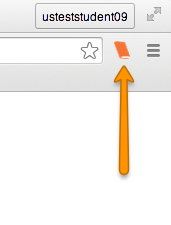
(d) Mobile app
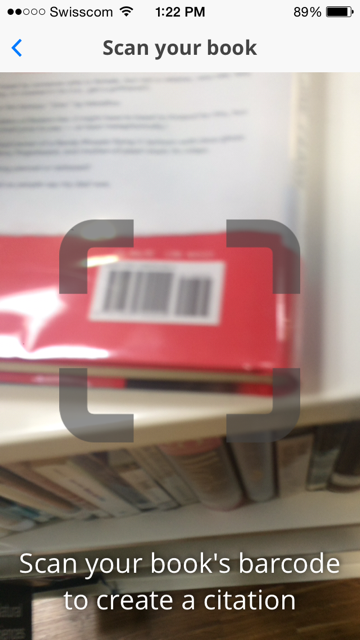
Through mobile devices (iTunes app or Android app) which has added features such as scanning bar codes of books
(e) Easybib.com




 Tech Tuesday