
Information for students has now been posted (grade 9-11 & 12) regarding tablet return. Thanks for helping students complete (Gr. 9 still to come) road check activities in advisory to co-design their device specific independence, and for your continued efforts to support device independent means of completing course work and communication.
streamline communication
Are you Device Independent?
Standard

By now you should know that you can work with Google Drive in two places on any device (the cloud and the desktop/within app downloaded) and have supported students in advisory to do so during the recent road checks. To keep with our Upper School edtech goal of streamlining communication we are holding a contest.
The first five faculty/staff members to show Alison, Liz or Mike zero Google drive items synced down to their yoga and at least 20GB free on their C disk will be awarded prizes.

Google Educator Certification
StandardWe have been a Google apps school for over eight years. Officially used Google Drive since Oct. 2013 and Gmail/Calendars for over six months. By now you should be able to navigate in this world comfortably and help your students make appropriate tool and communication workflow choices. If you feel like you would like a little help, the new Google Educator training system is full of scenarios that are specifically designed for teachers by teachers to help gain skill and understanding about effective use. Such as:

If you wish to take a certification course please email Liz and she will help get your signed up courtesy of the IT department PD budget;)
Winter IT Changes
StandardReminder that the following changes will take place:
- Moodle upgrade: Dec. 15th at 4:00pm until early am on the 16th. Reminder that it is your responsibility to test your courses, if you have not done so please click here.
- Classwork media exchange retired: Dec. 16th (“IB Stuff” will stay:).
Import Your Moodle Appointments Into Your Google Calendar
Standard- Open and login to Moodle
- Select the Student Parents Teacher Conferences course
- Click on the calendar in the upper left hand corner
- Find the orange ical button on the bottom and download your appointments
- Open Google calendar and follow these directions
Goobric w/ Doctopus- Add Rubrics Straight to Google Docs
StandardRubric based feedback is a proven way to clarify what is expected from students, however when work is produced digitally adding a rubric to a students work itself can be a multistep process. Three powerful tools connect and streamline this feedback loop.
- By using Goobric (an extension) and Doctopus (a docs add on) you can add rubric based feedback directly into students assignments. If you are using Google Classroom you can easily pull all assignments into one spreadsheet and then assess from there. For step by step instructions view this screencast.
- Another option is to use docAppender to provide consistent feedback directly to student documents and track student progress overtime using Google forms.
- A combination of all three can be set up to allow students to self and peer assess in consistent ways against criteria. *This is not recommended unless you have a reasonable level of comfort with Doctopus and Goobric first.
Google Keep
StandardDo you have stickies all over your desktop? Do you see your students with stickies all over their desktops?
Google Keep is an much better alternative to using stickies because:
- Keep notes are accessible via any device (including phones)
- Keep notes can easily be shared with others, making them ideal for group planning
- Keep notes can be time specific with the ability to set reminders and deadlines
Three Ways to Enhance Your Google Calendar Experience
StandardBelow are three of many ways your calendar can be in some of the places you need it most:
- Set it as a page that opens automatically in Chrome
- Use the official Google Calendar app on your phone
- *Enable labs calendar window view in Gmail


*Google labs are cool and sometimes very helpful, just remember they are beta and can change/go away at anytime.
Moodle Sidebar Changes
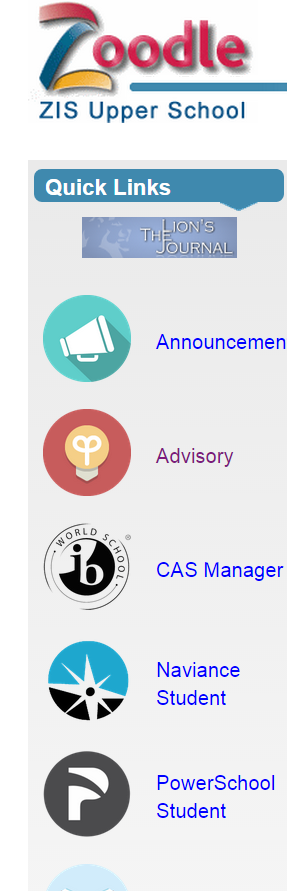
StandardYou have probably noticed that the left side bar of Moodle has been changed. This new design was done by students for students. If you are looking for specific faculty links check the US Campus Site.
GYST Badge an Ongoing Conversation
StandardPlease continue to reference the GYST badge for yourself and the Reboot section of the advisory site for your students (especially our new to ZIS students) as a means to have consistent informed conversations about digital organization.

 Tech Tuesday