Winter IT Changes

Standard

Reminder that the following changes will take place:

  1. Moodle upgrade: Dec. 15th at 4:00pm until early am on the 16th. Reminder that it is your responsibility to test your courses, if you have not done so please  click here.
  2. Classwork media exchange retired: Dec. 16th (“IB Stuff” will stay:).


Evolution of Edtech at the Upper School- Update

Standard

This year we have a lot of exploration to be done related to educational technology shifts.  All exploration is aimed at streamlining communication and ensuring an agile digital ecosystem, so we can focus on the real goods….forward thinking pedagogy!

Starting in June some of our colleagues (thx- Adrian, Ali, Claudia S, Diya, Geoff, Ian, Jason, Marie & Will) have explored Google Classroom to support blended learning in one or more of their classes.  Their efforts have allowed this platform to be explored in our digital ecosystem producing the following findings.

Our next steps is to continue with early adoption of Google Classroom and start piloting SMART amp.  SMART amp is a cloud based version of SMART notebook that saves automatically in your Google Drive.

If you are interested in piloting SMART amp or adopting Google Classroom please email Liz before the end of this week (Friday 25th).
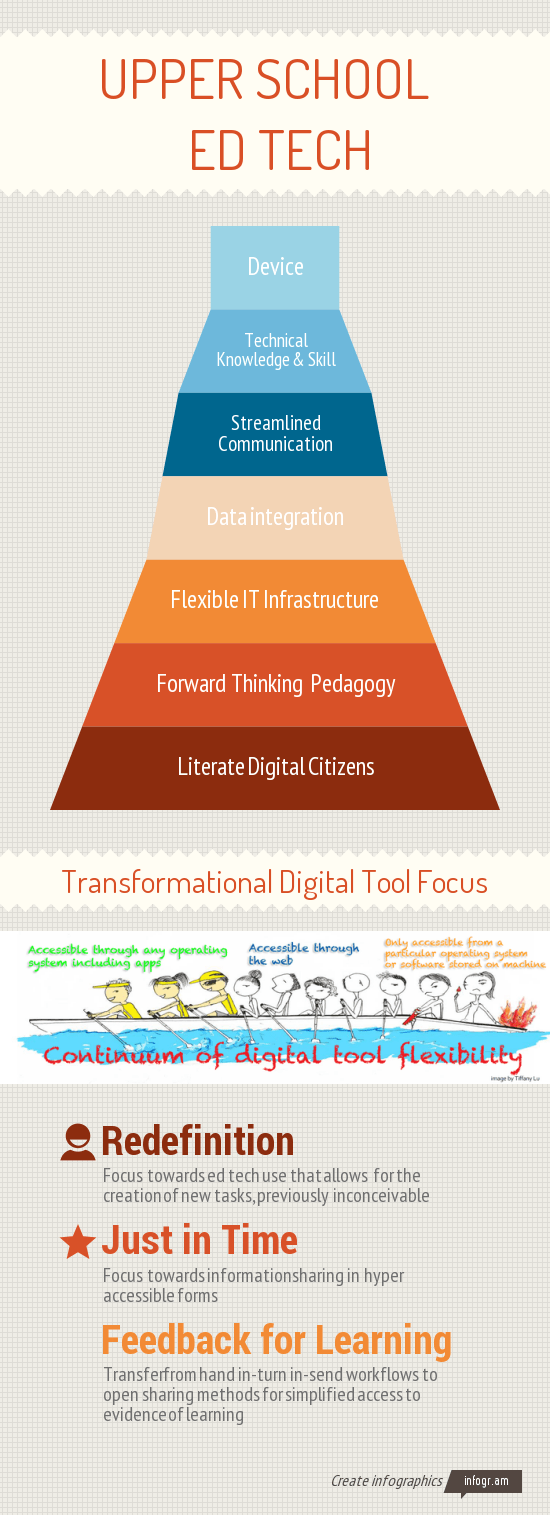
US Ed Tech Infographic 14_15 focus


To the left is the graphic that summarizes the findings from the 1-to-1 device cycle three research that points to all things beyond the device.  Below is a summary of our Upper School ed tech evolution over the past four years.

2011-12
1-to-1 cycle 2 year 1 (x220), iPad pilot , scaling screencasting and digital portfolios, and desktop research.

2012-13
Start of 1-to-1 device cycle three research,  SMART board/projector research, mobile phone wifi connection, and start of PBL work w/ Suzie Boss

2013-14
1-to-1 device cycle three research, continued PBL work w/ Suzie- including the fail festival, and Moodle upgrade

2014-15
1-to-1 cycle 3 year 1 (Yoga), Suzie Boss PBL work, Fine Arts digital ecosystem research, Gmail, and retirement of network drives (Classwork)

2015-16
Start of cycle 3 (iMac labs for visual arts), Google Classroom and SMART amp pilots, continued work with Suzie Boss, and start of 1-to-1 cycle 4 research



What we as Educators Need to Recognize about Windows 10

Standard

Last week Windows 10 was announced.  With it the following shifts in technology were yet again affirmed:

-The line between technology and physical space is getting thinner, marked by the announcement of Windows HoloLens

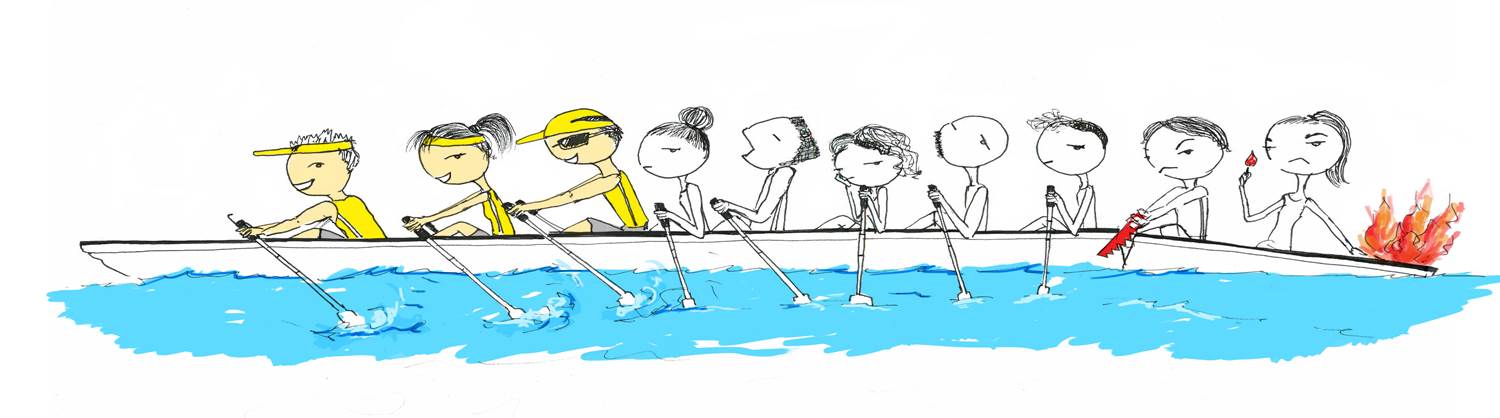
-Mobile is the new normal and if you aren’t connecting and communicating in mobile friendly ways you are missing the mark.   If you are aware and embrace mobile computing you are in the front of the boat moving your teaching and learning forward.

by Tiffanylu_Rowing

by Tiffanylu_Rowing

-Cloud, cloud, cloud….  this is related to the two points above, but worth noting on it’s own.  If you have to go to a certain machine to get a file, a big red flag should go up for your workflow.

Will we be switching to Windows 10 soon at ZIS? The short answer is not now (maybe not ever), but we certainly are keeping our eye the market rollout to see if it’s something that will enhance learning in the future.

Transformational Learning

Standard

In our 5th year as a 1-to-1 school conversations and innovation needs to be beyond simple access to technology. Ruben R. Puentedura, developer of the SAMR model, articulates this evolution in four phases.

Screen Shot 2014-03-25 at 9.39.05 AM


As we embark into the transition phase of wrapping up this school year and preparing for the next, keep the above model in mind.  The device transition is an opportunity to mentally and physically (bits that is:)) reflex upon practice and make moves to enhance transformational teaching practice.


//e.infogr.am/upper-school—–ed-tech

Failure Festival Preview

Standard

Nice to know

On Monday, February 17th we will kick off our PD days with a Failure Festival.  Below are a few pieces of information to help shape your thinking before the event.  More details will be provided in the Friday Focus.


What is a Failure Festival?

An event where individuals share a problem that failed in a  safe, supportive and learning focused environment.


How to participate: 

  • Presenting a failure is optional, being an open minded respectful listener is not:)
  • If you do want to take advantage of this opportunity. Be ready to present the following in a storytelling fashion:

What was the project?
What were you trying to do?
What was the fail/where did it go wrong?
What would you do differently next time (or never again!)?
What lessons can be learned?


FAIL_slam format:
Presentations should be no longer than 10 minutes to maximize learning and promote actionable lessons that can be embedded into future work.  Each group will have a moderator.


Learn more about celebrating failure:


Continue reading

Device Pilots

Standard


Students and faculty members are now in the process of piloting five devices in the IT office.  If you would like to play, come by during lunch, after school or on Friday.

Overview of P Drive to Google Drive

Standard

Many of you have already set up Google Drive and are using it in your courses.  All students will set up Google Drive this week during GAP time, so if you have not setup your own Google Drive watch your students so you have a little prior knowledge about the process.


When you are ready to setup your Google Drive please follow these instructions either on your own or ask us for help.  Starting in October your P drive will no longer be available.